
- Monthly Retainer · Google Ads
You're spending on Google Ads.
The ROAS doesn't justify it.
For Canadian eCommerce stores running Shopping or PMax campaigns where spend isn't returning profitable revenue. The problem is almost always in how the account is structured and what's actually being measured.
Flat fee. No % of ad spend.
Full setup included in month one
Live Looker Studio dashboard included
Month to month. No contracts.
- SOUND FAMILIAR?
Three situations we see in almost every
eCommerce account we audit.
Each one quietly drains ROAS. Most store owners assume it is a budget problem. It usually is not.
PMax is spending. You don't know where the money is going.
Performance Max consolidates everything and reports aggregate ROAS. You cannot see which products, placements, or search terms are driving revenue — and which are eating budget with nothing to show for it.
The account reports conversions. The revenue in your store doesn't match.
Google Ads is counting add-to-carts or sessions as purchases. The bidding algorithm has been optimising toward a signal that has nothing to do with actual orders — compounding the problem every day it runs uncorrected.
Your best and worst products are getting the same budget.
A 6× ROAS product and a 0.8× ROAS product running in the same campaign with the same bid strategy. No segmentation. The feed is sending everything to the same auction regardless of margin or conversion history.
- WHO THIS IS FAR
Canadian eCommerce stores that need Google Ads
to drive profitable revenue.
Whether you are running Shopping, PMax, or both — if the spend is not producing margin-positive ROAS, that is what this fixes.
Shopify and eCommerce Stores
Shopping or PMax campaigns not converting. Feed issues, poor campaign structure, or tracking gaps quietly eating into your margin every month.
Brick and Mortar / D2C Brands
Selling online and in-store. Ad spend is scaling but ROAS is not following. Need campaign structure built around actual product margins, not generic settings.
Auto Parts and Accessories
High SKU count, fitment complexity, competitive CPCs. Need smart feed segmentation and search campaigns that reach the right buyers, not low-intent traffic.
Home and Lifestyle Brands
Growing product catalogue with high AOV items. Need bid strategies matched to the purchase decision, not generic Shopping placements at commodity CPCs.
Industrial and MRO eCommerce
Selling industrial products to procurement managers and engineers. Need search campaigns that reach qualified buyers, not low-intent catalogue traffic.
B2B Wholesale and Distribution
Longer sales cycles, bulk order buyers, and no clear data on which search terms are generating qualified trade enquiries versus low-intent traffic.
Different category? Get in touch anyway — the underlying account problems are consistent across verticals.
- WHO WE FIX IT
Three problems. Three fixes.
All running month to month.
Month one resets the foundation. Every month after compounds on it.
- Problem 01 Campaign structure and visibility
- Problem 02 Conversion tracking accuracy
- Problem 03 Product and bid segmentation
Performance Max campaigns can work — but not without asset group organisation, audience signals, brand exclusions, and search term monitoring configured correctly. Without these, Google optimises for volume, not margin.
Asset groups structured by product category and buyer intent
Brand terms excluded from PMax to protect direct traffic ROAS
Audience signals built from actual customer data, not defaults
Search term reports pulled and reviewed every month
Smart Bidding learns from whatever conversion signal you give it. If that signal is add-to-carts, duplicated purchases, or sessions — the algorithm optimises toward those events, not actual revenue. Month one corrects this before anything else.
GA4 purchase event verified against actual order data
Transaction value confirmed passing to every campaign
Deduplication set up between GA4 and Google Ads tags
Primary conversion set to purchase only — not add-to-cart
Without segmentation, Google's algorithm distributes budget based on click volume and conversion probability — not your margin targets. Products with different ROAS profiles need separate campaigns or asset groups with separate bid strategies.
Products segmented by margin tier and conversion history
Target ROAS set per segment based on actual margin data
Unprofitable products paused or excluded from Shopping
Feed titles and attributes optimised for high-intent search terms
- WHAT'S INCLUDED
Everything in the retainer. Nothing held back.
Full setup in month one. Ongoing management, reporting, and optimisation every month after. No separate onboarding fee.
Campaign setup and structure
Shopping and PMax campaigns built or restructured from scratch. Asset groups organised by product category. Priority hierarchy set. Brand exclusions applied. Month one is the foundation everything else runs on.
Product feed and Merchant Center
Feed titles, descriptions, and attributes reviewed and optimised for Shopping relevance. Disapprovals resolved. GTIN coverage checked. Supplemental feeds used where catalogue quality needs improvement at scale.
Conversion tracking setup
GA4 eCommerce tracking and Google Ads purchase conversion configured and verified. Transaction values confirmed passing to campaigns. Deduplication in place. Smart Bidding has accurate signals from day one.
Bid strategy and budget management
Target ROAS set per campaign segment based on margin data. Budget allocated to highest-performing products and categories. Monthly review of spend distribution against actual ROAS by product group.
Monthly reporting and optimisation
Written monthly summary covering ROAS by campaign, revenue by product, spend changes made and why, and what is planned for the following month. No automated reports — a human account of what happened.
Looker Studio live dashboard
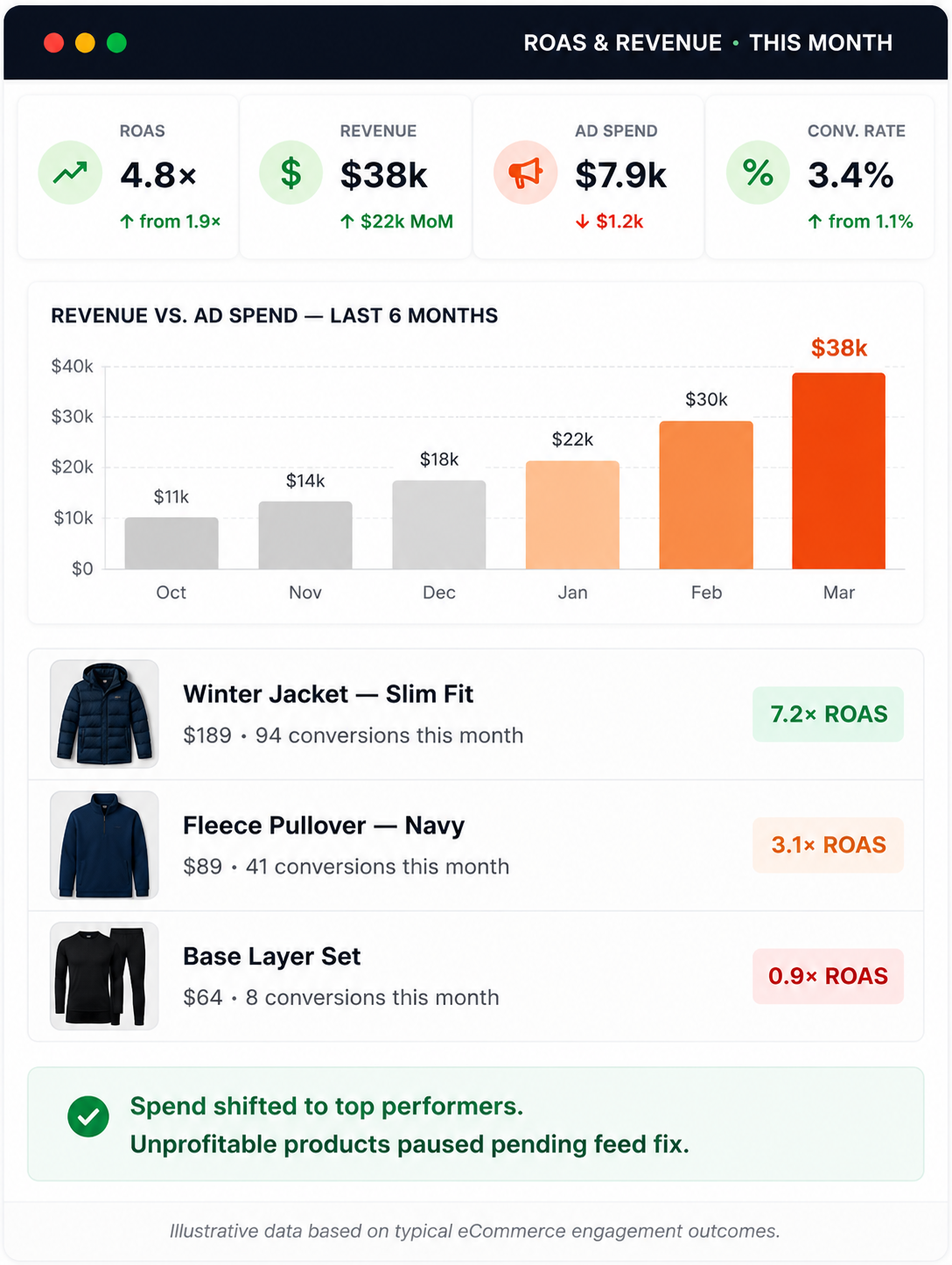
A live dashboard connected to your GA4 and Google Ads data showing revenue, ROAS, cost per sale, and conversion rate by campaign. Updated automatically. Shared with edit access — you own it permanently.
- COMMON QUESTION
What people ask before starting.
The ROAS in Google Ads looks strong.
Why isn't the revenue matching?
Google Ads is almost certainly counting the wrong events — usually add-to-carts, checkout initiations, or duplicated purchase signals — and reporting them as conversions. The ROAS looks strong because the denominator is inflated. The fix is verifying the GA4 purchase event against actual order data and correcting which conversion actions campaigns use. This is the first thing we address in month one.
The management fee is flat regardless
of ad spend — is that right?
Yes. The fee is the same whether you are spending $3,000 or $30,000 on ads. Percentage-of-spend models create an incentive to increase budgets regardless of ROAS. A flat fee means the only measure of success is whether the campaigns are returning profitable revenue — not whether you are spending more.
Should I be running PMax or
Shopping campaigns?
Usually both, structured correctly. PMax works well for top-of-funnel discovery when asset groups are organised and brand terms are excluded. Standard Shopping campaigns give more control over specific product segments and search term visibility. The right mix depends on your catalogue size, margin structure, and how much conversion data the account has. We assess this before making any changes.
We have hundreds of SKUs. Can you
manage that scale?
Yes — large catalogues are where feed structure and product segmentation matter most. At scale, running everything in one campaign with undifferentiated bids is where most of the waste lives. We segment by margin tier and conversion history, and use supplemental feeds where necessary to improve attribute quality across large product sets.
We have campaigns running already.
Do you start from scratch?
No — we audit first. Conversion history is valuable and we do not discard it. We identify what is worth keeping, what needs correcting, and what needs rebuilding. Campaigns with meaningful purchase data are restructured around it. What always gets corrected first is tracking — because the data the account has accumulated is only useful if it was measuring the right thing.
How long before we see
ROAS improvement?
Tracking corrections and structural changes take two to three weeks to implement, and Smart Bidding needs time to learn from corrected signals. Meaningful ROAS movement is typically visible within the first 30 to 45 days. Larger catalogues with more segmentation work take longer to stabilise. We set honest expectations based on the specific account before anything starts.
GET IN TUCH
Tell us what happened. We'll look at the account.
Share your store, your current spend, and what the ROAS situation is. We review the account and come back with what we found — not a proposal.
- We look at the account. Campaign structure, conversion tracking, product segmentation, feed quality, and what the reported ROAS actually represents.
- We come back with what we found — specific issues, realistic ROAS targets, and what month three looks like if we start now.
- If it makes sense to work together, scope is confirmed before anything starts. No surprises.
- Response within one business day
- No obligation. Review first, decide after.
- You own everything: accounts, dashboards, data