
Home » Insights » eCommerce Growth Audit Checklist

eCommerce Growth Audit Checklist

Complete eCommerce Growth Audit Checklist: SEO, Google Ads & GA4 Tracking

If you’re serious about scaling an eCommerce business, running a growth audit is the smartest starting point. Think of it as a health check — making sure your SEO, Google Ads, and GA4 tracking are all working together instead of pulling in different directions. Here’s how I’d break it down:

1. SEO: Can Customers (and Google) Actually Find You?

Start with the basics: how fast is your site, and does it load well on mobile? (Most store traffic is mobile-first now.) Check whether your important pages are actually ranking for the right keywords, and don’t forget the small details — meta titles, descriptions, and image alt text all play a role.

Also, fix the stuff that frustrates users and search engines alike: broken links, messy URL structures, or thin content. Finally, take a quick look at backlinks. Are you earning trustworthy mentions, or just random low-value links?

Technical Health
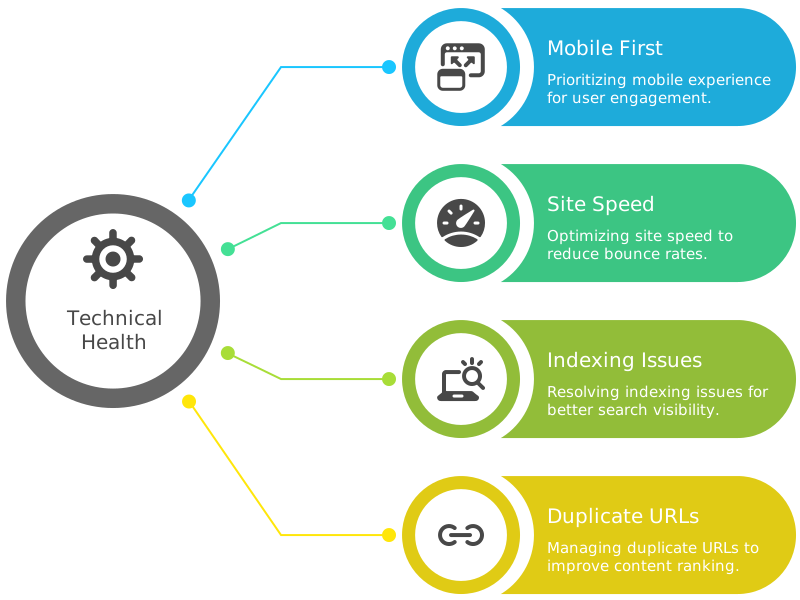
Technical Health
  • Mobile First → Open your store on your own phone. Is it smooth, or clunky? Shopify themes usually perform well, but WooCommerce stores often slow down with too many plugins.
  • Site Speed → Anything over 3 seconds costs you sales. Test with PageSpeed Insights — Magento shops especially need to watch this with large catalogs.
  • Indexing Issues → Search for site:yourstore.com in Google. If your key pages (collections, categories, products) don’t show, something’s blocking them.
  • Duplicate URLs → Classic Shopify problem: /collections/all/product-name vs /products/product-name. Set your canonical tags correctly.

SEO Audit Summary


Check point Issue to Look For Recommended Fix Tool to Use
Site Speed Load time > 3s Compress images, remove scripts PageSpeed Insights
Mobile Optimization Poor mobile UX Test on devices, optimize layout Your phone, BrowserStack
Indexing Pages missing in Google Use Search Console, robots.txt Google Search Console
Duplicate URLs Multiple paths to same content Set canonical tags Screaming Frog, Yoast

On‑Page Basics

  • Does every page have a unique title + meta description, or do they all look the same? (BigCommerce often duplicates these by default.)
  • Check your product descriptions. If they’re copy‑pasted from the manufacturer, Google has no reason to rank you higher. Add store‑specific flavor.
  • Look at your images. Do they have alt tags, or did you leave them as IMG_1234.png?

On-Page SEO Health

Page Element Common Problem Ideal Setup
Meta Titles Duplicate or missing Unique, keyword-optimized
Meta Descriptions Auto-generated, generic Custom-written, benefit-focused
Image Alt Tags Missing or non-descriptive Descriptive, keyword-relevant
Product Descriptions Manufacturer copy Store-specific, benefit-rich

Content & Authority

  • Do you have at least 3–4 helpful blog posts answering customer questions?
  • Example: “Best supplements for post‑workout recovery” → Then link to your store’s supplement pages.
  • Schema markup: Add FAQ or product schema so you get extra visibility in search.

2. Google Ads: Are You Spending Smart, or Just Spending?

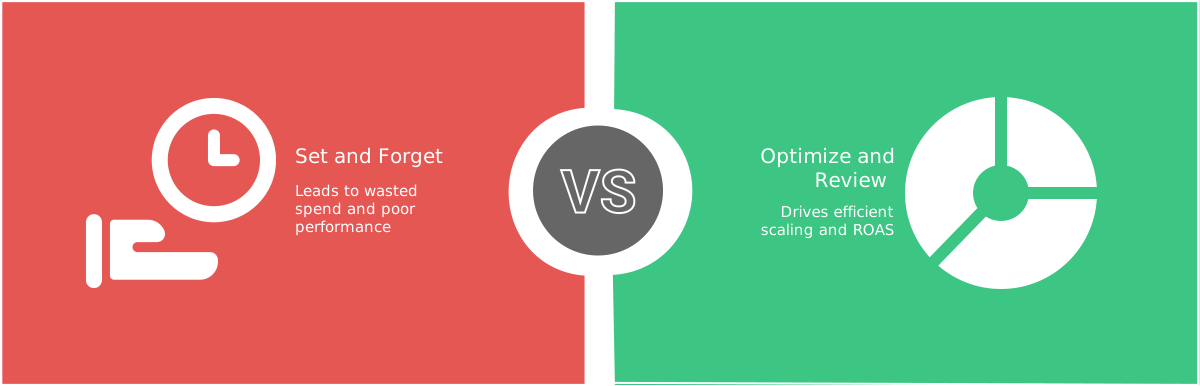
With Performance Max, it’s easy to “set and forget” — but that usually means wasted spend. Review your asset groups: which headlines, images, or videos are actually pulling conversions? Check if your audience signals match your ideal customers, and make sure conversion tracking is firing correctly (this one gets missed a lot).

Don’t just glance at budget usage; look at ROAS and how your bid strategies align with your goals. Small tweaks — like exclusions or cleaning up your product feed — often unlock more efficient scaling.

How to Optimize Google Ads Spending

Structure Matters

  • Do you have separate campaigns for branded vs non‑branded searches? If not, you might be paying for customers who were already going to buy.
  • For the Google Search Ads campaigns – are you using negative keywords? eCommerce store owners often forget — half your wasted spend comes from irrelevant clicks.

Shopping Campaigns

  • Log into Google Merchant Center (GMC). Are all products approved?
  • Common Shopify error: “Price mismatch” (when discounts don’t sync properly).
  • Magento often throws feed issues if you don’t map products correctly.
  • Product titles: Instead of “Blue T‑shirt,” say “Men’s Slim Fit Blue Cotton T‑Shirt — Free Shipping.” Keywords belong in the title.

Performance Red Flags

  • ROAS below 2x for Shopping Ads? You’re likely targeting too broad.
  • Check your Search Terms Report You’ll be shocked what people are actually clicking.
  • Review your products’s sales data, products’ views, added into the cart, and successfully purchase.
  • Know your abandoended cart values. Total values added into the cart but not purchased is equally important to know the successful purchases.
  • Are you running remarketing campaigns? If not, you’re losing the cheapest, warmest customers.

Google Ads Audit

Campaign Area What to Check What to Optimize Tool to Use
Branded vs Non-Branded Mixed search terms Separate campaigns Google Ads
Negative Keywords Missing exclusions Add irrelevant keyword filters Search Terms Report
Shopping Feed Titles Generic product names Use detailed, keyword-rich titles Google Merchant Center
ROAS Below 2x Refine audience, segment better Ads Dashboard

3. Tracking: If You Can’t Measure It, You Can’t Fix It

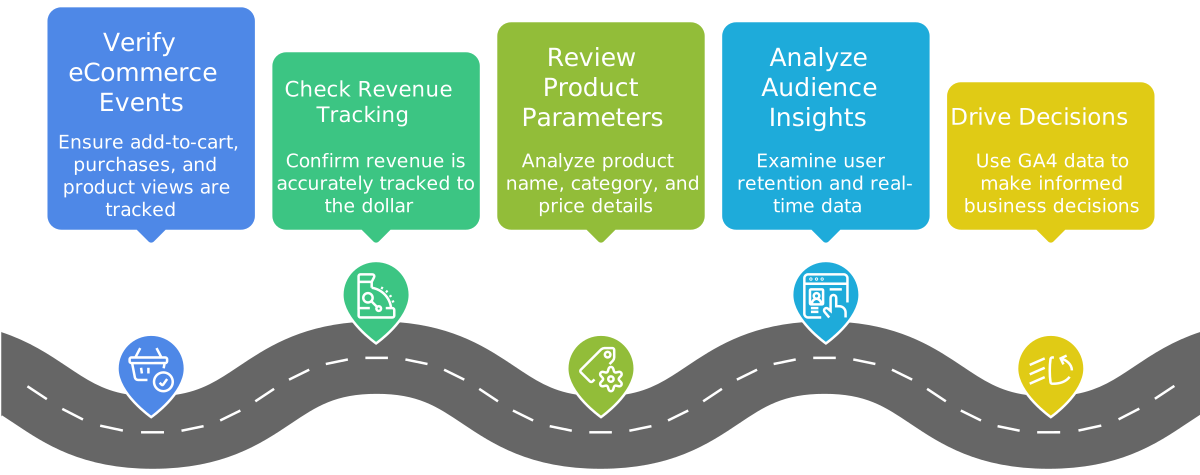
GA4 isn’t just a dashboard, it’s your growth compass. Verify that your main eCommerce events are being tracked properly: add-to-cart, purchases, and product views. If revenue isn’t tracking to the dollar, everything else becomes guesswork.

Also check parameters like product name, category, and price — these details let you drill down into what’s actually selling. Round it out by reviewing audience insights, user retention, and real-time data. Done right, GA4 stops being a confusing mess and starts driving decisions.

GA4 Implementation and Analysis Process

GA4

  • Compare your GA4 revenue vs Shopify/Woo. A small difference (≤10%) is okay. If you see 30–40% off, something is broken.
  • Enhanced eCommerce should show view item, add to cart, checkout, purchase. Missing one step = incomplete funnel data.

Tag Manager

  • Do you use Google Tag Manager? If not, you probably have multiple tracking codes colliding with each other.
  • Check your GTM preview: Are events like “Purchase” firing twice (common in WooCommerce) or not at all?

Attribution

  • Are you only looking at “last click” conversions? That hides how top‑of‑funnel ads contribute.
  • Link your Google Ads to GA4. If you haven’t, you’re flying blind.

GA4 & GTM Tracking Check

Tracking Step What to Confirm Tools to Verify
Revenue Accuracy Matches Shopify/Woo within 10% GA4, Shopify, WooCommerce
Funnel Events View → Add to Cart → Checkout → Purchase GA4 DebugView
GTM Firing Events not triggering or duplicating GTM Preview Mode
Attribution Setup Last-click only? Enable multi-touch in GA4

Looker Studio Reports

Looker Studio Demo Report

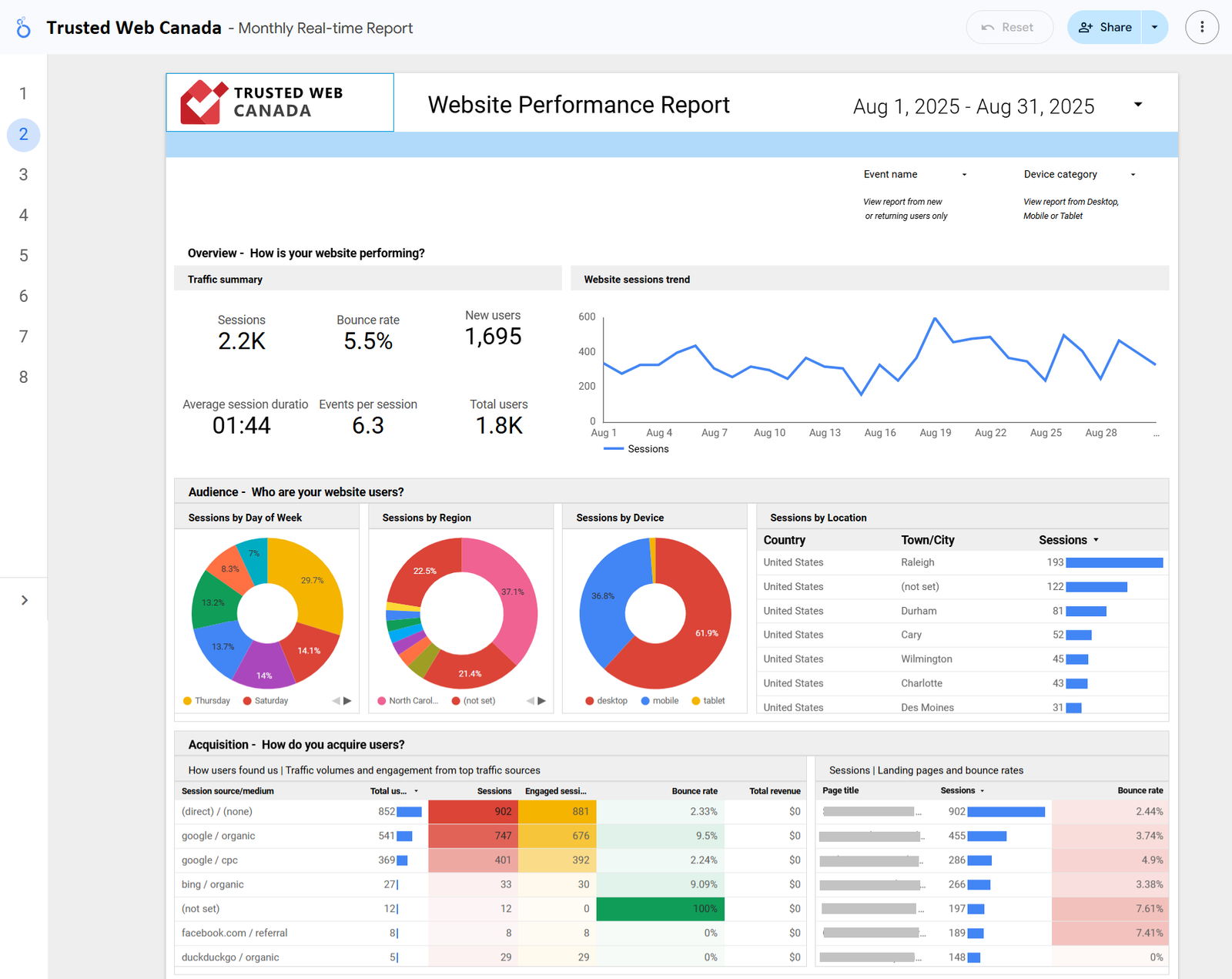
Stop wasting hours copying data into spreadsheets. With automated Looker Studio reports, you get all your key metrics in one place — traffic, customer behavior, sales trends, and Google Ads performance.

Your reports update in real‑time, so you always know what’s working. Save and bookmark a single report link, and access it anytime, from any device — no manual updates required.

KPI Benchmarks & Conversion Reference

Metric Good Range Use This To Evaluate
Mobile Conversion Rate 1.5% – 2.5% GA4, Shopify, Woo
Cart Abandonment Rate 60% – 75% GA4, Shopify Reports
Shopping Ads ROAS 2x or more Google Ads
GA4 Revenue Accuracy Within ±10% of platform revenue Compare to Shopify/Woo reports

4. Growth & Automation Opportunities

Many stores stop at SEO + Ads. The real growth comes from making visitors worth more over their lifetime.

Growth & Automation Opportunities
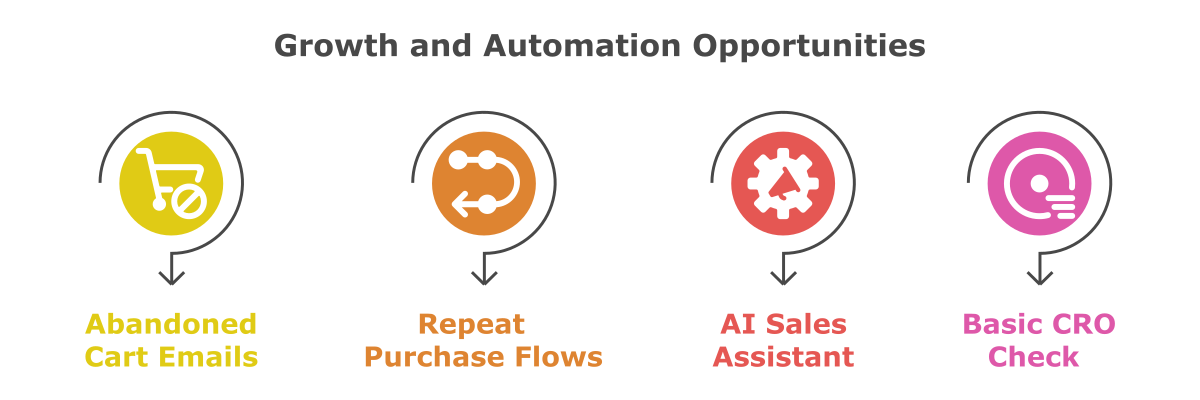
  • Abandoned Cart Emails → Missing? You’re leaving money on the table. Klaviyo makes it almost too easy.
  • Repeat Purchase Flows → Do you nudge past buyers after 30/60/90 days? Simple automation = more sales.
  • AI Sales Assistant → If customers leave without buying because nobody answered their questions at 10 p.m., you’re losing pure profit. A 24/7 chatbot fixes that.
  • Basic CRO Check → Do you have trust symbols on product pages? Reviews, shipping info, and easy CTAs? In Magento especially, clunky checkouts kill conversion.

Automation & Retention Table

Area What to Implement Tools/Platforms
Abandoned Cart Emails Trigger within 1 hr of cart abandonment Klaviyo, Shopify, WooCommerce
Repeat Purchase Flows 30/60/90-day reminder emails Klaviyo, Omnisend
On-Site Chat Assistant 24/7 response for pre-sale questions Tidio, Gorgias, Shopify Chat
CRO Basics Add trust signals, fast checkout Hotjar, Reviews.io, Trustpilot

How to Use This Checklist

  • If you only ticked half these boxes, don’t panic. Most eCommerce stores we audit are in the same position.
  • Start with tracking (otherwise you’re guessing), then fix wasted ad spend, and only then layer on deeper SEO + automation.

Want a hands‑on growth audit done for you?

We’ll review your SEO, Ads, and Tracking setup, show you EXACTLY what you’re losing, and put solutions in a flat‑rate action plan.